
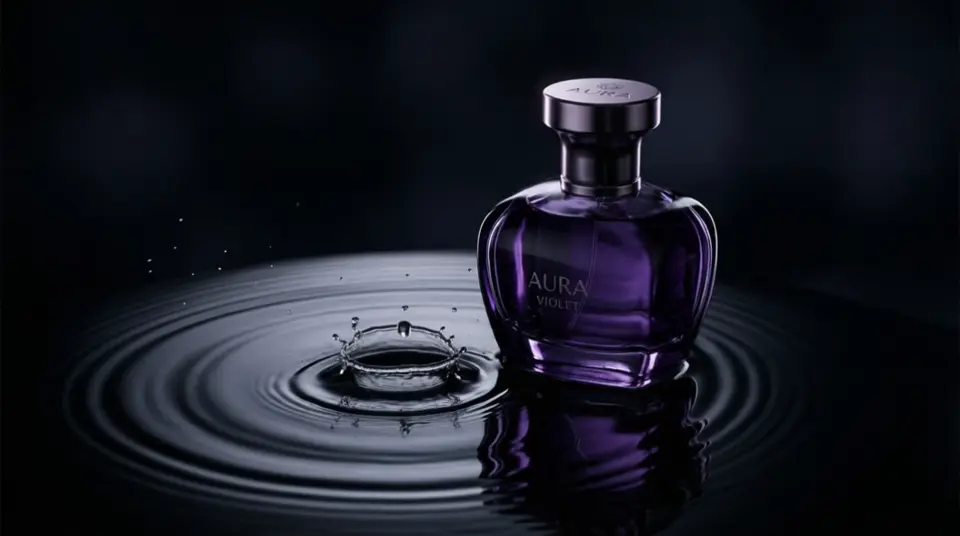
AI Image Generator: Marketing images and ad creatives from a prompt.
Describe the visual you need and choose a style and format. Qevio generates a set of images you can compare, keep or regenerate, ready for ads, feeds and stories.
What is the Qevio AI Image Generator?
Qevio's AI Image Generator makes marketing images from a text prompt: ad creatives, product shots, lifestyle scenes and social posts. Describe the picture, pick a style, a shape and how many images you want (1 to 8), and attach a product photo to keep your product accurate. The credit price is shown before anything runs.
Updated
What you can make
Ad creatives
Visuals for paid social and display campaigns.
Social images
Feed posts, stories and pins in the right shape.
Several at once
Generate 1, 2, 3, 4, 6 or 8 images in one go and keep the best.
Your brand
Use your Brand Kit so colours and tone stay consistent.
What people use it for
Product photos
Studio shots on clean backgrounds for Shopify, Amazon and Etsy listings.
Lifestyle scenes
Your product in use, in a setting your customers recognise.
Ad creatives
Visuals for Meta, TikTok and Pinterest ads, with room left for a headline.
Social posts
Feed posts, Stories and pins in the right shape for each platform.
Seasonal campaigns
Black Friday, Christmas and launch visuals in one consistent style.
Starting frames for video
Make the perfect still, then animate it in the AI Video Generator.
How it works
- Step 1
Describe the image
Say what should be in it and what it is for. Add a reference image if you have one.
- Step 2
Pick style and format
Choose a style, an aspect ratio and how many images you want.
- Step 3
Check the estimate
The credit cost is shown before anything runs.
- Step 4
Keep the best
Download the images you like, or turn one into a video.
Which mode should you choose?
Leave it on Auto, or pick a mode for speed, price or look. Every mode shows its price before you generate.
| Mode | Best for | What it does |
|---|---|---|
| Auto | Most campaignsQevio picks the right model for each asset. | Qevio picks the right model for each asset. |
| Fast | Drafts and testing hooksQuick drafts to test ideas before you commit. | Quick drafts to test ideas before you commit. |
| Best Value | Daily social contentSolid quality at the lowest credit cost. | Solid quality at the lowest credit cost. |
| High Quality | Launches and paid adsSharper motion and detail for hero assets. | Sharper motion and detail for hero assets. |
| Cinematic | Brand films and promosFilm-style camera moves, lighting and depth. | Film-style camera moves, lighting and depth. |
| Product Ad | Ecommerce listings and adsKeeps your product accurate and front and centre. | Keeps your product accurate and front and centre. |
| Realistic | UGC-style and lifestyleNatural people, places and lighting. | Natural people, places and lighting. |
The right shape for every platform
Pick the shape before you generate, so nothing important gets cropped.
- Instagram and Facebook feed
- 4:5 portrait or 1:1 square
- Instagram and Facebook Stories
- 9:16 vertical
- Pinterest pins
- 9:16 vertical
- Store and marketplace listings
- 1:1 square
- LinkedIn feed
- 1:1 square or 4:5 portrait
- Website banners and YouTube thumbnails
- 16:9 landscape
Write a prompt that works
Plain words are enough. These examples show the kind of detail that gets the best results.
Example prompts
“Amber glass candle on a walnut bedside table at dusk, warm lamp light, soft shadows, cosy bedroom.”
“White running shoe floating on a seamless pastel blue background, bright studio light, crisp detail, product centred.”
“Top-down flat lay of a skincare set on white marble with eucalyptus leaves, bright natural light.”
“Ad creative: an iced coffee can on a striped beach towel in bright sun, lots of empty sky at the top for a headline.”
Tips for better results
- Say what the image is for, such as a product page, a Story ad or a pin. It changes the framing.
- Attach up to 4 product photos (JPG, PNG or WebP, up to 10 MB each) and pick Product Ad when the product must stay exact.
- For listings, ask for a plain white or light grey background.
- Leave room for text: add "empty space at the top for a headline".
- Make 4 or more at once and keep the best.
Specs at a glance
- Images per run
- 1, 2, 3, 4, 6 or 8
- Styles
- Clean studio, luxury, cinematic, UGC / creator, playful, minimal or bold
- Formats
- 9:16 vertical, 1:1 square, 4:5 portrait and 16:9 landscape
- Reference images
- Up to 4 JPG, PNG or WebP images, up to 10 MB each
- Quality modes
- Auto, Fast, Best Value, High Quality, Cinematic, Product Ad or Realistic
- Download
- PNG, JPG or WebP depending on the model, one at a time or all at once
Questions
1, 2, 3, 4, 6 or 8 images per run.
Learn more
- Help: Make images and product photos
- Help: Models and quality modes
- Help: Sizes, formats and file limits
- Help: Change a result
- Help: Set up your Brand Kit
- Guide: AI product photos for Shopify
- Guide: 30 product photography prompts
- Guide: Facebook ad creatives with AI
- Guide: Etsy product photos with AI
- Guide: Pinterest pins with AI